


👩💻🧑💻 Pair Programming
Here at CodeMonkey, we see the value in students working together to achieve their instructional goals. That is why we added pair programming! Teachers can enable this feature within each CodeMonkey Classroom under My Classrooms>Students.
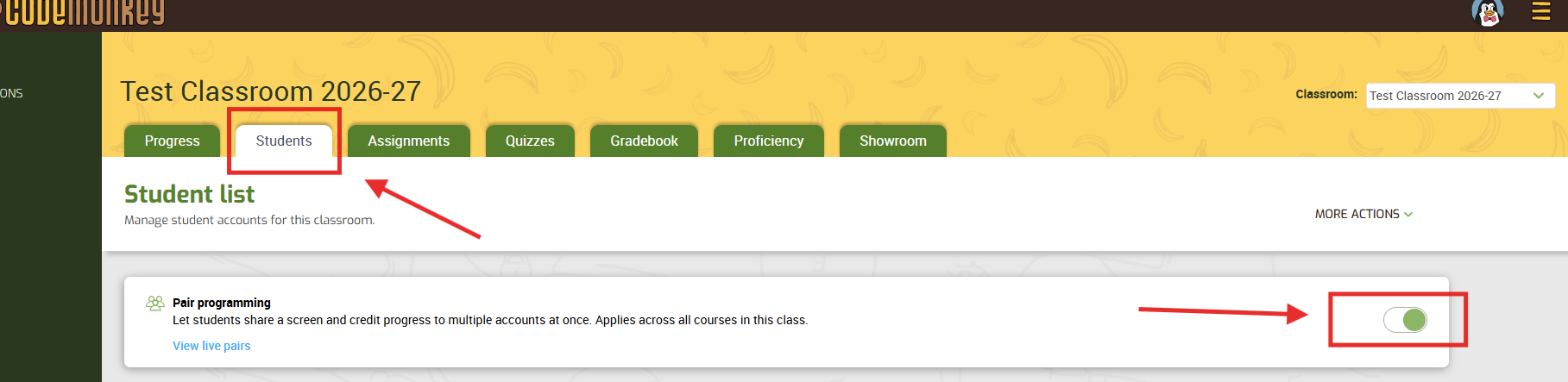
Then, students can activate this from their student dashboard under their profile.
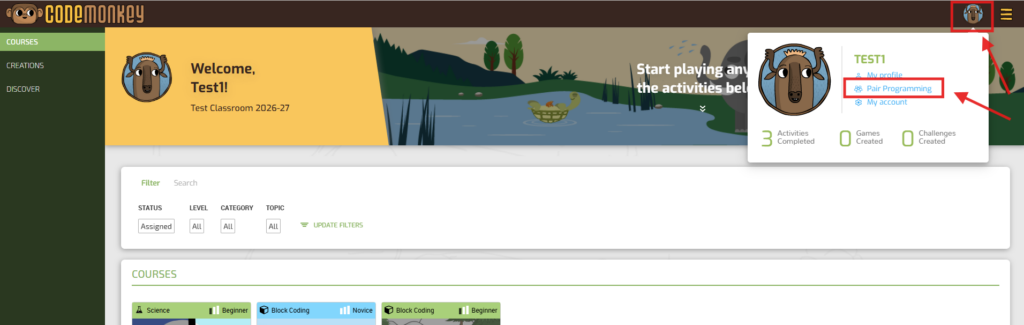
They can select up to 3 other students to work with. This then records all of the students’ progress on challenges within the course!
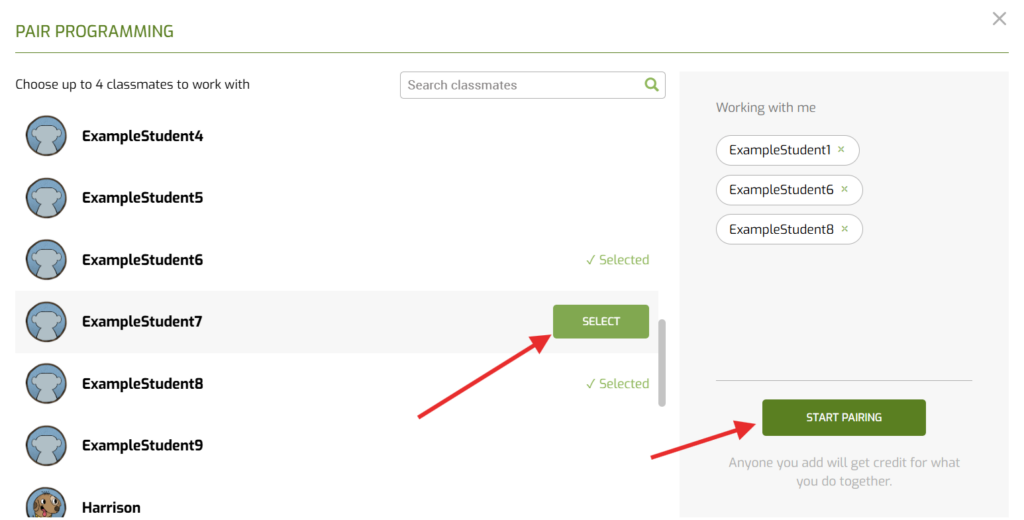
*It is important that the student or teacher disables this feature when the collaboration time is finished to ensure progress reflects appropriately when students return to working independently.


