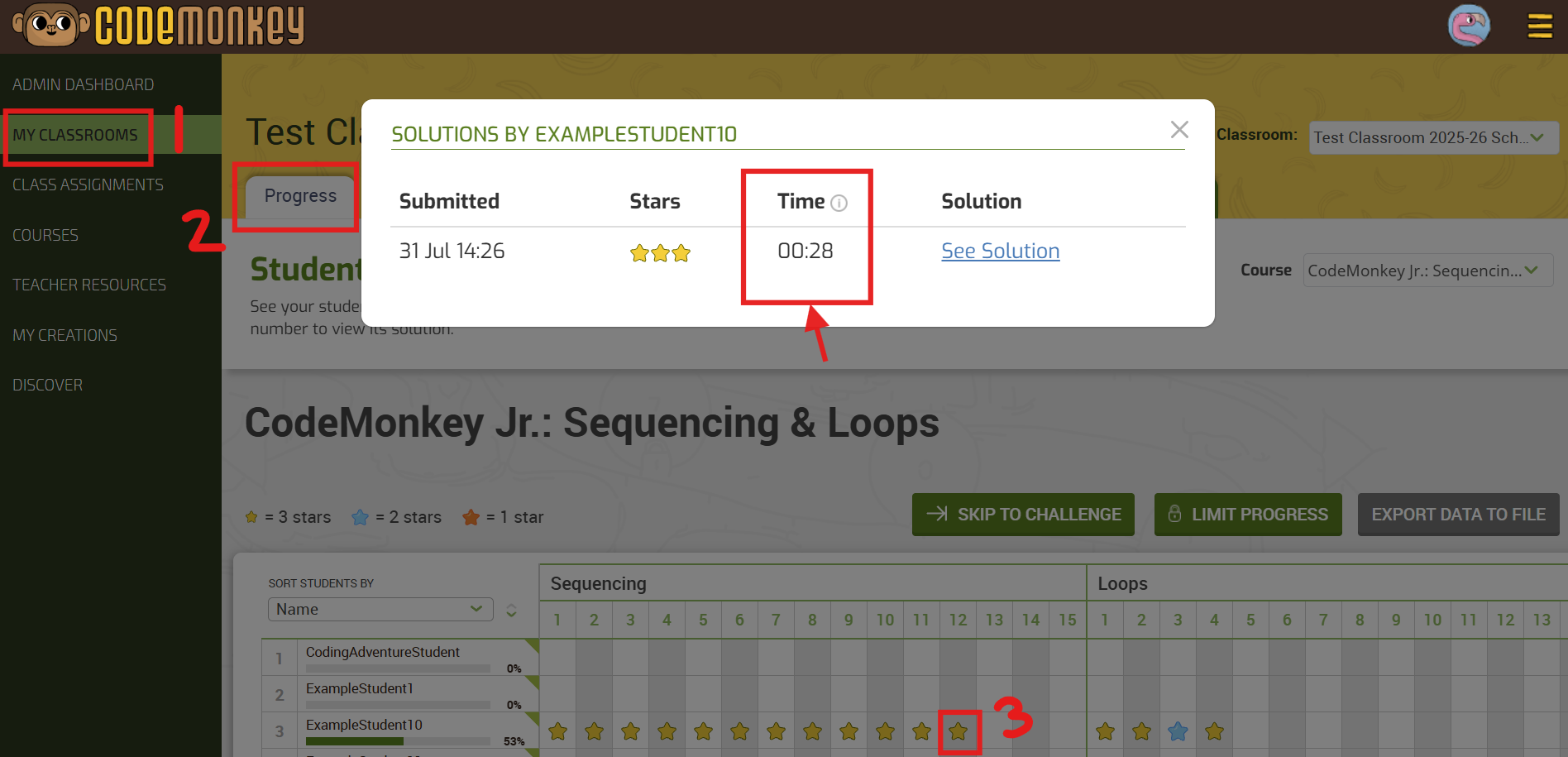
“Time to Completion” in Progress Tab

The teacher dashboard now includes a “Time to Completion” data point within the Progress tab. This addition offers valuable insight into student progress by showing the duration of time spent on each challenge. This metric is designed to help teachers better understand their students’ coding abilities.

To access this tool, go to any CodeMonkey Classroom, select the Progress tab, and click on a challenge star under any student’s name


Try CodeMonkey at home or at school!

free trial

or

for your school / district

More to explore:

skip to challenge

Skip to Challenge feature

Advance all of your students in a CodeMonkey Classroom at once with one click. 1️⃣ Go to your My Classrooms tab 2️⃣

Table of Contents

Leave a Reply

Your email address will not be published. Required fields are marked *

This site uses Akismet to reduce spam. Learn how your comment data is processed.