You, as the teacher or admin, can set a minimal star score requirement for each CodeMonkey course within each CodeMonkey Classroom!
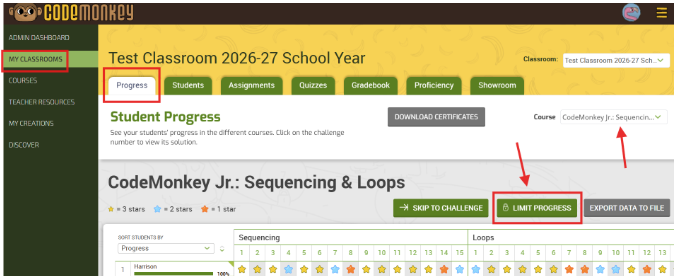
1️⃣ Go to your My Classrooms tab
2️⃣ Click on the desired CodeMonkey Classroom
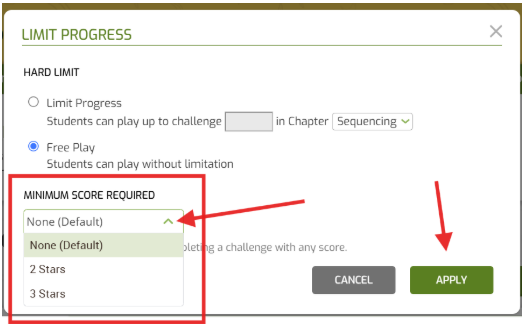
3️⃣ In the Progress tab, select the “🔒LIMIT PROGRESS” button to set the required number of stars you want students to achieve. By default, it is set to “None”, which allows students to move on with 1 star to the next challenge.