Building an app from the ground up might seem like an overwhelming task, so how can we expect a child to do it? How can children learn computer basics and programming from an early age? How can you help your child to not only excel in the more common curriculum and tasks for children but also in IT-related learning? How can you as a parent raise a future programmer? These are some of the topics we will explore in this article.
What is involved in building an app?
To answer this question, we have to understand some of the basics of apps: how they work and how they are built. Then, we will look at the core functionalities and skills needed to master the art of programming.
Building an app is much like discovering a unique recipe with IT skills and knowledge as the ingredients to create a program for computers, mobile phones, and tablets. The more essential skills of software engineering, such as creating, testing, and coding, are key to the development of any app. In this process, one must generate new ideas, and apply creative concepts; it’s the development of these skills that place IT development at the forefront of in-demand careers.
One of the most common responsibilities of a programmer is to program, troubleshoot, and resolve issues. This job involves coding and programming language knowledge. Not only is this a process creative, it is also educational and best yet, entertaining. And like so many other skills and tasks, fostering a child’s interest and skills in coding is most effective in the early years. So let’s explore several important stages of app creation to help you guide your child or student in their journey into coding.
What are the typical stages of app building?
1. App architecture
The first task is finding a platform, choosing a programming language, and getting assistance from technology service-based companies. Here, we don’t only focus on the app design, but select the primary tools we will utilize.
2.Visual image
Now, it is time to develop the visual features of an application and make decisions about colors, style, and content. It might be a simple draft or just a visual concept that you have in mind.
3. Coding an app
Because of the difficulty level, many people decide to get immediate help from a software development company when they move to the stage of code writing. VironIT is a common choice for those who need support with app building.
4. Testing
For a newly-developed app to operate well and bug-free, you need to go through a process of testing. The final product should be tested by the specialist and test engineers. This is how you can eliminate malfunctions in your mobile app.
5. Launching
The final task is to deliver your app for release. Once your testing has worked through any issues, your app is ready to be launched.
Although intimidating, creating an app is achievable and interested children should be encouraged by parents, teachers and caregivers. It seems like mainstream knowledge that the IT industry is the future of professional careers. Who knows, maybe your child might even appreciate you for supporting them on this path? That’s the dream!
So how exactly can you guide a child who is interested in learning to code? Following are five major steps in this process:
1. Teach them some common coding languages
Mastering a coding language that provides directives is the most essential task. For adult learners, the most basic and recognized coding languages are Javascript, Python, and C++. However, code writing for kids does not demand the same knowledge of these fundamentals that a programmer in the industry requires.
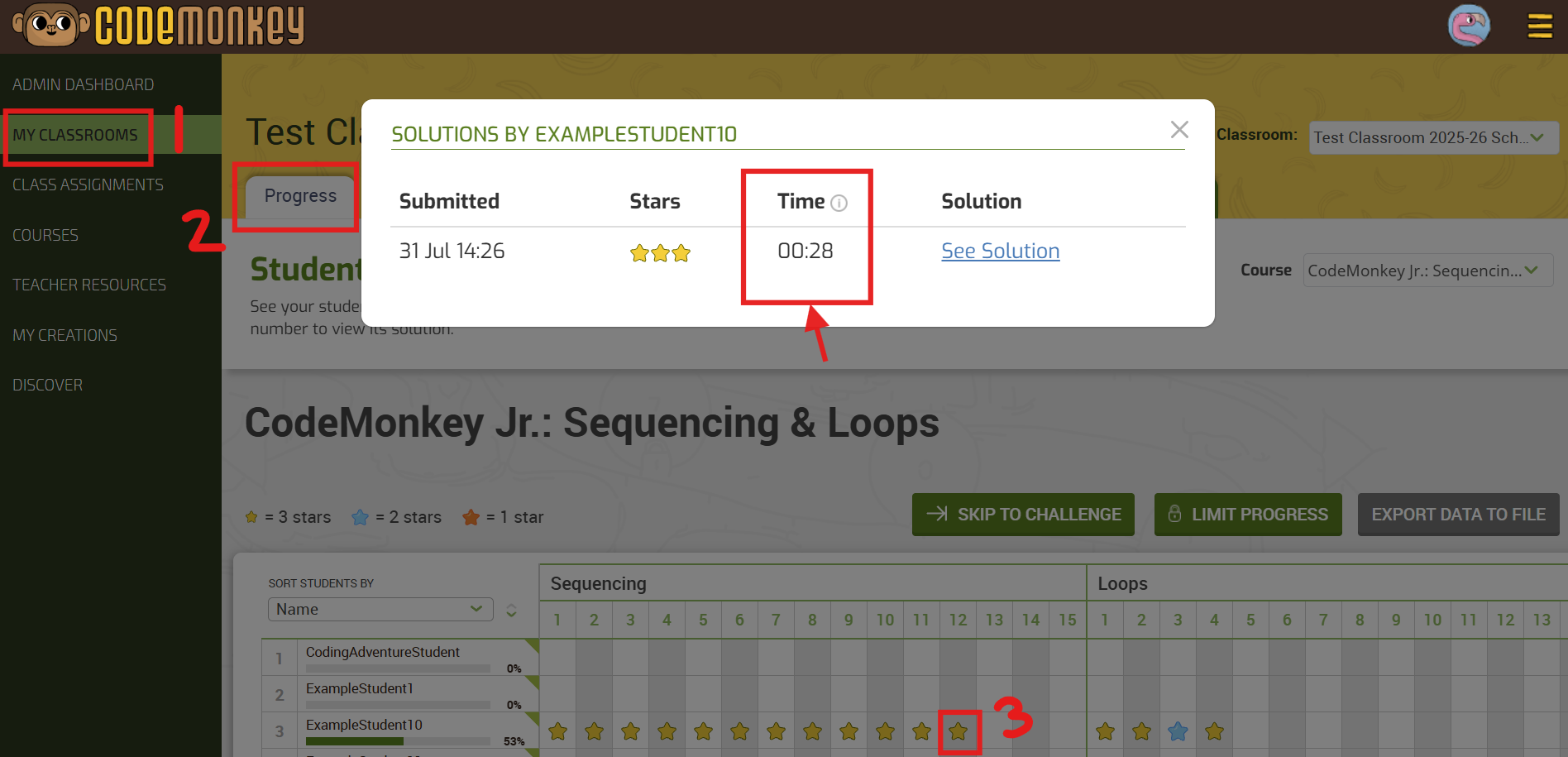
Instead, you can choose from a variety of fun, digital game-based programs available on the web. Some examples include Codewars, CodinGame, and CodeMonkey. These apps and those like them, engage young students in solving puzzles and developing code independently. These apps engage children and keep them entertained while they learn important building blocks to learn to code, using a medium of online learning that already is of high interest to children. Think here: the typical parent-child negotiations over “screen time.”
Moreover, if your child is eager to absorb new information, your child could potentially learn the basic IT ropes in weeks. As children acquire some of the coding languages at the first stage of learning, incorporating the visual learning experience doesn’t seem so unachievable a task any longer. This will also show children the importance of learning a programming language with the use of clear examples of functions and forms. Just like all of us need to understand the purpose of why we are learning a skill set, your kiddo needs to see the expected results of his/her effort.
2. Set a focus on visual memory
Building an app inherently requires you to remember and process information very quickly. So for your child to succeed in the IT sphere, developing memorization skills is the second significant task. Once again, early development is key to a strong foundation for youngsters.
When it comes to processing and collecting information, a child must be taught standard concepts of visualization, interpretation, and selective attention. Thus, before they start coding a specific function for the app, visualization will allow them to imagine how this bit of coded instruction will operate.
3. Demonstrate how to define and fix a problem
Problem-solving is another important aspect of coding. Identifying and resolving technical problems and finding an appropriate solution are the next critical skills your child would benefit from learning.
Kids may have some anxiety, as do we all, about facing failure and challenges. As a parent, you will need to continually encourage a child to accept inevitable difficulties in the work and still make steps forward. This will be true not only in coding obviously but in many other childhood tasks as well. You can also teach a child to utilize the time when the child is feeling more productive if you see that your child is struggling and losing patience. Here, a broader lesson in perseverance is an added benefit.
4. Develop their social skills
One other skill that will be needed to effectively introduce kids to the foundations of coding is the ability to adapt to real-world situations with the use of technology. Many digital courses for children assist in skills around tackling problems. This creates room for even greater performance in the digital industry.
5. Help your kid enroll in a private school
Certainly, getting help from online applications and games is engaging and efficient. Of course, learning coding activities in a structured school environment is also an excellent way to learn. When students learn the creative art of coding in schools, they will have the encouragement and support needed to persevere. Learning at school would also be easier on you as the parent of course, and as we know, children tend to mind those teachers much better. In general, the learning plan and monitoring system at schools are very advanced, so you will also be able to track your child’s progress and help your child succeed in their coding learning and goals.
Best Mobile App Development Tools For Kids
With a handful of options, it can be hard to know where to start. To make it easier, we’ve compiled a list of the five best mobile app development tools for kids. These tools offer a variety of interactive and user-friendly features, allowing kids to learn the basics of coding and app development while having fun.
App Lab
App Lab is a great mobile app development tool for kids. It’s easy to use, intuitive, and visually appealing. With App Lab, kids can design, create, and share their mobile apps online. App Lab supports HTML and JavaScript, so kids can easily customize their apps to create the exact look and feel they’re after. App Lab also offers a variety of tutorials that help kids learn the basics of coding and app development. App Lab provides an accessible and intuitive way for kids to explore their creativity and begin coding their own apps.
Thunkable
Thunkable is a great app development tool for kids and beginners alike. It offers a drag-and-drop interface that makes it easy for kids to create apps in no time. In addition, the platform is free, with some extra features that can be accessed with a subscription.
Thunkable allows users to design, code and deploy their apps to the App Store and Google Play. Kids will also have access to an extensive library of tutorials, learning resources, and tips that they can use to become app developers. With all these tools and resources, Thunkable is a great platform for kids to learn the basics of mobile app development.
MIT App Inventor
MIT App Inventor is a powerful, free development tool for creating Android apps. It enables kids to design and build their mobile apps, even without any programming experience. With the App Inventor, kids can use a graphical user interface to design their app by dragging and dropping components. They can then connect those components with blocks of code that are easy to understand and use.
App Inventor also offers the ability to preview apps directly on a device or emulator quickly. The tool also provides plenty of tutorials and sample projects that kids can use to learn about app development and take on more complex projects.
BuildFire
The BuildFire application development platform, catering primarily to media, entertainment, and educational professionals who are not technical in expertise, assists children in the construction of mobile apps. In addition, it provides cloud storage and cache services for the organization of audio, video and PDF documents.
BuildFire offers features like push notifications, user management, analytics, tagging, plug-in access, and service-level agreements. It also allows users to design app dashboards, maintain app securities, archive and store data, gain insights, and engage with users. Furthermore, it provides an image library tool for uploading high-resolution images plus cropping and resizing them for device optimization, even offline mode.
Kodable
Kodable is a great mobile app development tool for kids. It is designed to help teach coding to children as young as five. The drag-and-drop interface allows kids to create their apps without writing any code. Kodable also includes dozens of interactive coding tutorials, games, and challenges that can help kids learn the fundamentals of coding. With Kodable, your kids can explore programming concepts such as algorithms, loops, functions, and debugging. The platform also has an educator portal, making it easy for teachers to track their students’ progress.
Frequently Asked Questions
What age should kids be to start developing mobile apps?
It is recommended that children begin exploring mobile app development as early as eight years old. Many development tools, such as App Lab, Thunkable, and MIT App Inventor, are designed for beginners and feature a drag-and-drop interface that simplifies the development process. For younger children, tools such as Kodable can help them learn the basics of coding and develop basic problem-solving skills.
What types of mobile apps can kids develop?
Popular categories include games, educational apps, productivity tools, e-commerce apps, and social media applications. In addition, depending on the platform and tool used to create it, an app can feature a range of features such as in-app purchases, GPS navigation, video streaming, or augmented reality.
What platforms can kids develop an app for?
Most mobile app development tools allow you to create apps for iOS and Android devices. However, there may also be development options for other platforms such as Windows Phone, Amazon Fire OS, or Blackberry OS. In addition, some tools also offer solutions for creating hybrid web apps compatible with multiple platforms.
Conclusion
Learning should always feel passionate and exciting whether you are an adult or kiddo, and can be when information is presented engagingly. So, it is up to you to support your child in developing an interest in technology from an early age, and avoid the mistakes that could positively impact their perception of the IT sphere.
You can gather from this article that the insights and skills children need to learn to code can be applied to any career. Your encouragement and support should keep your child motivated to learn and solve problems related to coding.
Children are more intelligent and goal-oriented than we often can even imagine. With the right teachers and tools, any interested child can begin to explore the exciting and creative world of coding!
ABOUT THE AUTHOR
Mary Byrd is a
self-driven specialist who enhances her blogging skills. She is not looking for
easy ways, she is always developing and looking for new ideas. Professional
development is an important part of her life. Marie always improves her skills
and her main goal is to inspire people.
Our world today is undergoing a rapid technological change. Which raises a very important question for educators and school leaders – how can we prepare our next generation for all the technological surprises the future holds?
Stay Up To Date on The Latest NEWS AND LEARN MORE ABOUT CODING FOR KIDS.
We use cookies on our website to give you the most relevant experience by remembering your preferences and repeat visits. By clicking “Accept”, you consent to the use of ALL the cookies. However you may visit Cookie Settings to provide a controlled consent.
This website uses cookies to improve your experience while you navigate through the website. Out of these cookies, the cookies that are categorized as necessary are stored on your browser as they are essential for the working of basic functionalities of the website. We also use third-party cookies that help us analyze and understand how you use this website. These cookies will be stored in your browser only with your consent. You also have the option to opt-out of these cookies. But opting out of some of these cookies may have an effect on your browsing experience.
Necessary cookies are absolutely essential for the website to function properly. This category only includes cookies that ensures basic functionalities and security features of the website. These cookies do not store any personal information.
Cookie
Type
Duration
Description
_codemonkey_session_rails_4
1
1 year
_ga
persistent
2 years
This cookie is installed by Google Analytics. The cookie is used to calculate visitor, session, campaign data and keep track of site usage for the site's analytics report. The cookies store information anonymously and assign a randomly generated number to identify unique visitors.
cookielawinfo-checkbox-advertisement
persistent
11 months
The cookie is set by GDPR cookie consent to record the user consent for the cookies in the category "Advertisement".
cookielawinfo-checkbox-analytics
persistent
11 months
This cookies is set by GDPR Cookie Consent WordPress Plugin. The cookie is used to remember the user consent for the cookies under the category "Analytics".
cookielawinfo-checkbox-functional
persistent
11 months
cookielawinfo-checkbox-necessary
persistent
11 months
This cookie is set by GDPR Cookie Consent plugin. The cookies is used to store the user consent for the cookies in the category "Necessary".
cookielawinfo-checkbox-non-necessary
0
11 months
This cookie is set by GDPR Cookie Consent plugin. The cookies is used to store the user consent for the cookies in the category "Non Necessary".
cookielawinfo-checkbox-other
persistent
11 months
cookielawinfo-checkbox-performance
persistent
11 months
This cookie is used to keep track of which cookies the user have approved for this site.
JSESSIONID
1
1 year
Used by sites written in JSP. General purpose platform session cookies that are used to maintain users' state across page requests.
viewed_cookie_policy
persistent
1 hour
The cookie is set by the GDPR Cookie Consent plugin and is used to store whether or not user has consented to the use of cookies. It does not store any personal data.
XSRF-TOKEN
persistent
1 year
The cookie is set by Wix website building platform on Wix website. The cookie is used for security purposes.
Any cookies that may not be particularly necessary for the website to function and is used specifically to collect user personal data via analytics, ads, other embedded contents are termed as non-necessary cookies. It is mandatory to procure user consent prior to running these cookies on your website.
Cookie
Type
Duration
Description
rlas3
persistent
11 months
The cookie is set by rlcdn.com. The cookie is used to serve relevant ads to the visitor as well as limit the time the visitor sees an and also measure the effectiveness of the campaign.
UserMatchHistory
persistent
1 month
Linkedin - Used to track visitors on multiple websites, in order to present relevant advertisement based on the visitor's preferences.
This cookie is set by Google Analytics and is used to distinguish users and sessions. The cookie is created when the JavaScript library executes and there are no existing __utma cookies. The cookie is updated every time data is sent to Google Analytics.
__utmb
persistent
30 minutes
The cookie is set by Google Analytics. The cookie is used to determine new sessions/visits. The cookie is created when the JavaScript library executes and there are no existing __utma cookies. The cookie is updated every time data is sent to Google Analytics.
__utmc
persistent
1 year
The cookie is set by Google Analytics and is deleted when the user closes the browser. The cookie is not used by ga.js. The cookie is used to enable interoperability with urchin.js which is an older version of Google analytics and used in conjunction with the __utmb cookie to determine new sessions/visits.
__utmt
persistent
10 minutes
The cookie is set by Google Analytics and is used to throttle request rate.
__utmz
persistent
6 months
This cookie is set by Google analytics and is used to store the traffic source or campaign through which the visitor reached your site.
_gat
persistent
1 minute
This cookies is installed by Google Universal Analytics to throttle the request rate to limit the colllection of data on high traffic sites.
YSC
1
1 year
This cookies is set by Youtube and is used to track the views of embedded videos.
This cookie is used by Google Analytics to understand user interaction with the website.
_gid
persistent
1 day
This cookie is installed by Google Analytics. The cookie is used to store information of how visitors use a website and helps in creating an analytics report of how the wbsite is doing. The data collected including the number visitors, the source where they have come from, and the pages viisted in an anonymous form.
GPS
persistent
30 minutes
This cookie is set by Youtube and registers a unique ID for tracking users based on their geographical location
MR
persistent
5 months
This cookie is used to measure the use of the website for analytics purposes.
MUIDB
1
1 year
This cookie is used by MicroSoft and collects data about users of visits on multiple website. This data is used to analyze the efficiency of advertisements on websites.
This cookie is set by Facebook to deliver advertisement when they are on Facebook or a digital platform powered by Facebook advertising after visiting this website.
bscookie
1
2 years
This cookie is a browser ID cookie set by Linked share Buttons and ad tags.
fr
1
3 months
The cookie is set by Facebook to show relevant advertisments to the users and measure and improve the advertisements. The cookie also tracks the behavior of the user across the web on sites that have Facebook pixel or Facebook social plugin.
IDE
1
2 years
Used by Google DoubleClick and stores information about how the user uses the website and any other advertisement before visiting the website. This is used to present users with ads that are relevant to them according to the user profile.
MUID
persistent
1 year
Used by Microsoft as a unique identifier. The cookie is set by embedded Microsoft scripts. The purpose of this cookie is to synchronize the ID across many different Microsoft domains to enable user tracking.
pxrc
persistent
2 months
The purpose of the cookie is to identify a visitor to serve relevant advertisement.
rlas3
persistent
11 months
The cookie is set by rlcdn.com. The cookie is used to serve relevant ads to the visitor as well as limit the time the visitor sees an and also measure the effectiveness of the campaign.
skimCSP
persistent
11 months
This cookie is set by SkimResources. The cookie is used to record data on the visitor to optimize the relevance of the advretisements served to the users.
TapAd_DID
persistent
2 months
The cookie is set by tapad.com. The purpose of the cookie is to track users across devices to enable targeted advertising
TapAd_TS
persistent
2 months
The cookie is set by Tapad.com. The purpose of the cookie is to track users across devices to enable targeted advertising.
TDCPM
persistent
1 year
The cookie is set by CloudFare service to store a unique ID to identify a returning users device which then is used for targeted advertising.
TDID
persistent
1 year
The cookie is set by CloudFare service to store a unique ID to identify a returning users device which then is used for targeted advertising.
test_cookie
persistent
15 minutes
This cookie is set by doubleclick.net. The purpose of the cookie is to determine if the users' browser supports cookies.
VISITOR_INFO1_LIVE
1
5 months
This cookie is set by Youtube. Used to track the information of the embedded YouTube videos on a website.