Introduction
Steve Jobs once said that everyone should learn how to program a computer because “it teaches you how to think”. If we are teaching other useful skills like languages, music, and sports to children, why not include coding as well?
Coding is becoming one of the most in-demand skills across all industries. Given that elementary school curricula are likely to be heavily packed with computer-related skills in the next decade, learning the basics of coding in preschool age is a great idea.
Regardless of whether a child is showing interest in computer science or not, working on the computer and witnessing technological innovations will be an important part of their environment. Luckily, kids today are using technology without any previous learning: for them, it’s completely natural to use smartphones and tablets for school and entertainment. Technology will also be an indispensable part of their career one day no matter which profession they choose.
Little ones simply adore technology and that interest should be directed to a good cause. No matter if your kid is the next Steve Jobs or not, learning how to code or at least occasionally playing with the background components of games, apps, and websites can be very useful. Learning how to code helps children develop their problem-solving abilities, creativity and communication skills.
In this article, we’re bringing you some of the best and simplest way to introduce coding and programming to children:
1. Online Tools
For children, learning how to code could be the easiest by teaching it in an environment where it’s actually done – on the computer.
If you want to teach your little one the basics of coding or you’re an educator working with preschoolers, the best way to go about it is by introducing some of the online tools specifically designed for that purpose.
The benefit of these tools is that they’re designed by experts who are knowledgeable in children’s development phases and can present the best learning steps for children of all ages.
One of the best online tools for teaching children how to code is CodeMonkey.
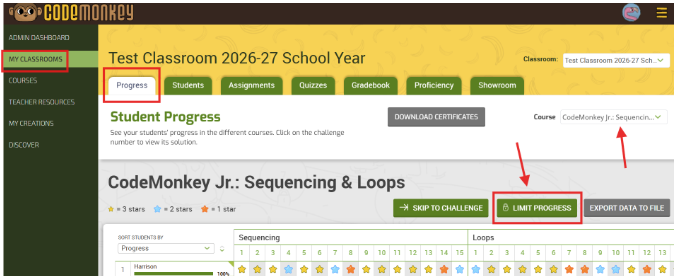
CodeMonkey.com features CodeMonkey Jr. – a game-based learning activity that introduces preschoolers to coding concepts in a fun and engaging way. The tool contains fully-developed programs, so kids can easily follow the curriculum and advance as they expand their knowledge.
2. Puzzles and games
Preschoolers are at a developmental stage where they start to enjoy doing puzzles and playing games where they need to find solutions and answer questions.
If you want to introduce basic concepts like algorithms, you can do that by crafting your own puzzles or cards that the kids have to arrange in the correct order. This will teach them the skills of organization, sequencing, and correctness.
You can also take a look at Pinterest boards which feature some DIY ideas on how to craft games that include coding for preschoolers.
If you’re not much of an arts and crafts person, there are loads of non-digital card games available in stores. These are games that include ready-made cards and tools that will allow your preschooler to get to know the basics of coding.
3. YouTube Videos
YouTube tutorials are a great way to learn something by watching how it’s done in real time. As adults, we have the benefit of typing in “how to make an envelope” and learning how to do it in a matter of minutes, so why shouldn’t kids do the same?
There are loads of YouTube channels and videos out there that focus on kids and feature techniques and coding games that are appropriate for their age. Do a simple search of your preschooler’s age + coding activity to find the best YouTube coding video to help them learn.
If you’re an educator, you can also find great tips on how to approach coding teaching to fit the needs of your preschoolers.
4. Take a Sneak Peek Behind the Scenes
This is a somewhat advanced method, but it can be extremely effective for older preschoolers.
Take some of your kid’s favorite games or websites and show them what it looks like in code. This way, they will realize that code is what builds their favorite websites and games and they will fall in love with it!
You can take a little snippet of code and show your preschooler what it does on the site. Remember to take it slowly and simplify as much as possible, because code can be confusing even for adults!
In order to see the code behind a website, follow these steps:
- Enter the website URL and load the page
- Right-click on the blank space on a website and select ‘View Page Source’
or
- Visit the Settings tool in your browser
- Open the Developer Tools section
- Click on Elements to inspect the source code of the website
Google Chrome, Mozilla and Edge even have a nifty command where you can see the source code behind any website with just one click. When you’re on the website, you simply click on CTRL + U on your keyboard and a new tab will open, showing you the source code of the website you’ve visited. If you’re using Microsoft Edge or Mozilla, you can also press F12 on your keyboard.
When can children begin learning to code?
It might be surprising to parents and teachers, but children can begin learning to code at a very early age. While earlier research suggested that coding skills typically develop around ages 6 or 7, more recent studies indicate that children as young as 3 or 4 can start acquiring basic coding skills. Therefore, it’s never too early to start!
Of course, at this age, a child cannot learn programming languages such as Python or JavaScript. However, they can engage with various tools and processes that lay the groundwork for future coding skills. As they grow older, around ages 7 to 9, children can apply these foundational skills to learn actual programming languages.
What Fundamental Skills Can a Child Learn?
For children, learning programming is more about acquiring foundational skills that will support coding processes later on. Many activities can be performed in a “physical mode” without the need for a computer, requiring minimal effort and knowledge—making them accessible for any parent to do with their child.
Engaging in these activities with your child is important, as they not only support future coding skills but also develop other essential abilities, such as problem-solving, logical thinking, and more. Here are some examples:
Practicing Cause and Effect: Engaging in activities like playing Jenga or building a car racetrack can be excellent ways to introduce young children to the concept of cause and effect. Through these games, children observe how specific actions—such as removing a block or adjusting a track—lead to particular outcomes. If the result isn’t as expected, they can experiment by making adjustments, exploring different approaches, and learning how changes influence outcomes.

Pattern Recognition: Recognizing patterns is a fundamental aspect of algorithmic and computational thinking. Developing this skill enhances your child’s ability to solve various problems now and in the future.
Simple activities can effectively teach pattern recognition. For example, instructing your child to jump left, then right, then left again, and so on, establishes a physical movement pattern. Similarly, arranging blocks in a sequence—standing up, lying down, standing up, lying down—helps them identify and predict patterns. You can also use colors and shapes, such as alternating a green circle with a yellow square repeatedly.
While these exercises might seem simplistic, they play a crucial role in developing your child’s coding skills by fostering an understanding of sequences and logical structures.
While / Do: while/do is very easy to practice with your child (you can do it at home, in your backyard or in a park) and it helps them to understand an important coding concept, such as if/then. There are numerous examples of this practice:
- While I count until 10, do move forward towards me
- While I’m holding my left arm up, do stand on one leg
- While I’m sitting, do play with the ball
These activities teach kids an important fundamental principle – conditional coding. This foundational understanding is crucial in programming, where instructions are often executed based on certain conditions set by the programmer. By participating in these exercises, children learn to think logically and understand cause-and-effect relationships, mirroring how computers process instructions.
Sequencing Steps: Teaching toddlers to perform tasks in a specific order—and later, to identify and communicate these steps—is crucial for developing algorithmic thinking, a foundational skill in programming.
Activities such as brushing teeth, making a sandwich, or assembling an age-appropriate LEGO set can serve as practical examples. By understanding and following sequences, children learn to approach problems methodically, laying the groundwork for future coding skills.
Conclusion
Coding doesn’t have to be daunting and complicated! Nowadays, there are many learning tools available that present coding in the form of a game and make learning fun and entertaining.
If you are an educator, it’s pretty convenient to introduce these tools to your group of preschoolers with the help of technology. It’s also a great common activity because the kids will feel like they are actually playing a game together.
Of course, learning to code in preschool-age doesn’t mean that a child should become the next tech whiz. It’s just a great way to learn critical thinking, logical and deduction skills. And after you start the program, you will be surprised by how well kids respond to computer science!
—
ABOUT THE AUTHOR:
Bridgette Hernandez is a Master in Anthropology who is interested in writing and is planning to publish her own book in the near future. She works with professional writing companies such as TopEssayWriting and ClassyEssay as a writer, Brid also does some editing work for BeGraded and Subjecto. The texts she writes are always informative, based on qualitative research but nevertheless pleasant to read.