Skip to Challenge feature

skip to challenge

Advance all of your students in a CodeMonkey Classroom at once with one click.

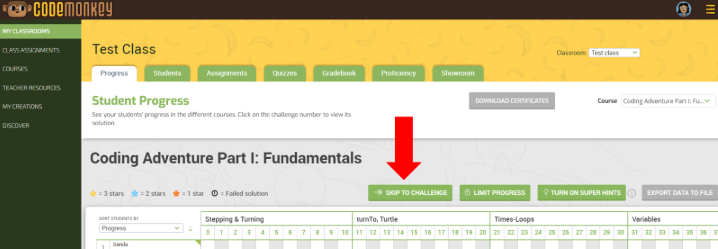
1️⃣ Go to your My Classrooms tab

2️⃣ Click on the desired CodeMonkey Classroom

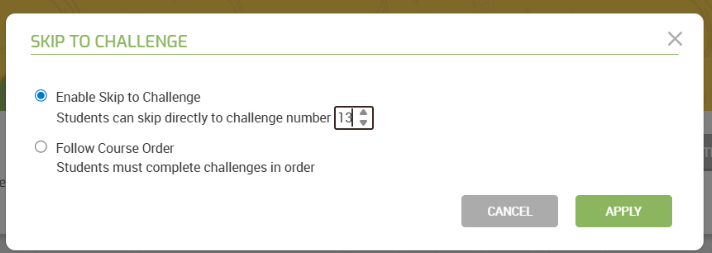
3️⃣ In the Progress tab, select the “->Skip to Challenge” button to push your students ahead to any challenge number!

👉 Click here to see how it works or watch our YouTube video 🎞️
skip to challenge page 2

Try CodeMonkey at home or at school!

free trial

or

for your school / district

More to explore:

Table of Contents

Leave a Reply

Your email address will not be published. Required fields are marked *

This site uses Akismet to reduce spam. Learn how your comment data is processed.

Subscribe to CodeMonkey's blog

Stay Up To Date on The Latest NEWS
AND LEARN MORE ABOUT CODING FOR KIDS.