
teaching kids to code
Every student deserves the opportunity to learn Computer Science
Free trial
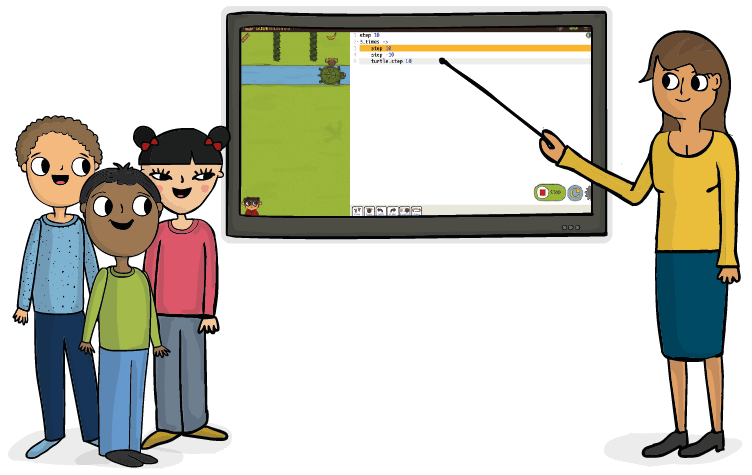

coding in the classroom
“Now is the time to introduce children to a discipline that they all too often never get the chance to form an opinion about.”
-Yishai Pinchover, Co-founder & COO
teach kids programming computational thinking 21st century skills
TEACH KIDS
programming computational thinking 21st century skills
full courses,
ready to go
Teachers are not required to have any programming experience when teaching coding to kids with CodeMonkey. The games are accompanied by detailed lesson plans with both online and unplugged activities. Teachers also have exclusive access to a dashboard where they can track student progress and achievements and display different students’ solutions to the entire class for discussion.


game-based learning
In CodeMonkey, students learn coding in a gamified environment. In Coding adventure, they will program an adorable monkey to get all its bananas back from the greedy gorilla who stole them. As students progress in the game, they will meet different friends like our trusty turtle, who will help them in their journey as they face more complex challenges to solve. Each solution is checked and graded automatically, giving learners instant “star-score” feedback.
real programming languages
From the very first level in CodeMonkey, students start to write code in a real-world programming language. Depending on the course, you will teach either Python or CoffeeScript, a modern open-source programming language that compiles to JavaScript, and similarly to JavaScript. CoffeeScript is used in the industry primarily for web applications. Through the CodeMonkey program, students will learn advanced Computer Science concepts such as loops, variables, functions, conditions and more.


Our 3rd graders love CodeMonkey! @CodeMonkeySTU @MWESchool pic.twitter.com/2pZzP1MLNO
— CNelius (@MWEsteam) November 14, 2024
Class 5 @HolyNamePrimary worked on repeat loops in today's lesson. After attempting some levels on Code Course B they worked through the first few challenges on Beaver Achiever..@CodeMonkeySTU #holynamecomputing @MGLWorldNews pic.twitter.com/UYo2Lzg33A
— @MGLWORLD_Craig (@MGLWORLD_Craig) November 11, 2024
Happy Halloween from OLPH!
— Lynn Castaneda (@LcLynncastaneda) October 31, 2024
Today we're celebrating Halloween in 3rd grade computers with CodeMonkey's Linus the Lemar! He's on a spooky adventure to collect pumpkins, candies and other fun surprises. @CodeMonkeySTU #codingisfun #edtech #CodeMonkeyAmbassador pic.twitter.com/3vTNJ5Usww
Thank you so much Bibb County Schools for allowing CodeMonkey to host a training today for your educators! We can’t wait to see what your coders accomplish this school year! 🎉 @CodeMonkeySTU @bcsboe pic.twitter.com/aP5BAjr0jS
— Lauren Rataj (@LaurenRataj3) October 3, 2024
At @efwmaschool our goal is that ALL of our students be successful & have fun on their educational journey. That is why all this week our students working on #coding #computationalthinking #problemsolving @CodeMonkeySTU #CMTA #playcodemonkey #codemonkeyjr #debugging#equity pic.twitter.com/sEo8pYqS0q
— EFWMA.org (@efwmaschool) June 13, 2024

TEACHER RESOURCES
CodeMonkey is designed as a classroom resource with fully-guided coding lessons plans. CodeMonkey’s coding curriculum fosters the development of executive functioning skills, such as problem solving and planning, as well as geometric and mathematical thinking.

STANDARDS ALIGNMENT
Learn about different methods and success stories of how teachers managed to motivate their students to learn various subjects. Get inspired from first-hand accounts of teachers who went the extra mile for their students and were rewarded for their efforts.
teach CS basics
With CodeMonkey, you will be able to teach the fundamentals of Computer Science from loops to arrays and on key events. All this with an intuitive online platform that will help lead your students from beginner to advanced programmers.
GET INVOLVED
Help spread the word and advocate for children’s Computer Science education by joining CodeMonkey’s Ambassador Program. Learn more.
Inspire educators and parents alike by sharing how you got into teaching. We would love to hear about your experiences in our blog. Learn more.
Join an international coding initiative by bringing coding to your students with CodeMonkey’s free hour of code games. No Prior Coding Experience Required!
Learn more.
Learn how to get the most out of teaching to code with CodeMonkey. Get familiar with the key features and functions.
Learn more.
Free Trial
Introduce your students to a fascinating new world!
Sign up and get:
- Classroom dashboard
- 30 fun coding challenges
- Accounts for 100 students
- Over 5 hour-long courses
- Lesson plans
FAQ
CodeMonkey for Teachers is an educational platform designed to help educators teach computer science and coding to students in grades K–12. The platform offers a full suite of standards‑aligned curricula, interactive coding courses, and classroom management tools, allowing teachers to introduce coding concepts in a structured, engaging way.
With visual and text‑based coding paths, automatic grading, and built‑in progress tracking, CodeMonkey enables teachers – even those without prior programming experience – to confidently deliver meaningful computer science lessons that build students’ logical thinking, problem‑solving, and creativity.
CodeMonkey supports a wide range of grade levels. For younger learners (K–2), introductory logic and visual coding courses such as CodeMonkey Jr. and Beaver Achiever help children develop foundational computational thinking. Middle and upper elementary students (grades 3–6) can explore courses like Dodo Does Math, Coding Adventure, and Game Builder that introduce programming structure and logic. Older students (grades 6–12) can advance into text‑based coding with Python, JavaScript, Data Science, AI, and Web Development courses. The teacher dashboard allows you to assign age‑appropriate curriculum and monitor student progress across levels.
No, teachers do not need any prior coding experience to use CodeMonkey effectively. The platform includes step‑by‑step lesson plans, guided student activities, automatic grading, and teacher support resources that make implementation easy. Lessons are scaffolded to introduce computational concepts gradually, and the CodeMonkey Teacher Dashboard provides real‑time insights and suggested interventions, so even educators new to computer science can confidently teach coding.
Getting started is simple:
Create a teacher account on the CodeMonkey platform.
Set up your classroom by adding classes and student accounts.
Choose a course or curriculum appropriate to your students’ age and ability.
Assign activities and monitor progress using the teacher dashboard.
Use built‑in lesson plans, pacing guides, and assessments to support instruction.
CodeMonkey also offers onboarding support, help documentation, and a support team to assist you at every step.
CodeMonkey’s curriculum is aligned with widely accepted computer science education standards, including CSTA (Computer Science Teachers Association) and ISTE (International Society for Technology in Education) standards. Lessons are designed to support the development of computational thinking, problem‑solving, algorithms, data analysis, and digital citizenship. Teachers can incorporate the curriculum into existing courses or use it to build a stand‑alone computer science pathway.
Yes — CodeMonkey is fully accessible online and works seamlessly for remote, hybrid, or in‑class instruction. Because lessons are self‑paced with built‑in feedback and automatic progression, students can work independently from home or school. Teachers can assign work, monitor activity, and track student progress in real time, making it an ideal solution for flexible learning environments.
The Teacher Dashboard is a central hub that provides real‑time student progress tracking, assignment management, and performance analytics. Teachers can:
View student completion rates and performance on individual challenges.
Identify students who need additional support.
Assign specific lessons to individuals or groups.
Track progress across the class, grade level, or entire school.
These insights help teachers personalize instruction, prioritize support, and demonstrate learning outcomes to administrators and families.
Yes. CodeMonkey offers a variety of professional development resources, including help articles, tutorials, and support from the CodeMonkey team. Many districts and schools also arrange live training sessions or onboarding workshops to help teachers get up to speed. The platform’s support team is available to answer questions and provide guidance whenever needed.
Absolutely. CodeMonkey is well suited for after‑school coding clubs, enrichment programs, summer camps, and STEM activities. The platform’s flexibility, engaging content, and self‑paced challenges make it easy to integrate into supplemental learning environments. Teachers and facilitators can run activities, track participation, and adjust pacing based on the group’s needs.
CodeMonkey includes built‑in assessment tools that automatically evaluate student performance on coding challenges and projects. Teachers can view:
Completion status of assignments
Attempts and time spent on tasks
Concept mastery and skill development
These insights support formative assessment and help inform instructional decisions without the need for manual grading.
Yes. CodeMonkey offers school‑ and district‑level plans that allow administrators to scale computer science education across multiple classrooms and buildings. Centralized onboarding, progress reporting, and administrative dashboards make it easier to coordinate curriculum, manage licenses, and monitor implementation at scale.
