Мать троих детей, которые учатся в начальной школе, Керен понимает важность образования в области компьютерных наук с раннего возраста. Она своими глазами увидела, что лучший способ для детей сохранять знания — это получать удовольствие от учебы! Керен работает руководителем отдела креативного маркетинга в CodeMonkey.
Категории блога
Отмеченная наградами программа по кодированию для детей
While it’s true that not every kid has a personal computer in their home at present, it is expected that at least 95% of households will have some form of internet access in a few years from now.
It’s not easy teaching your child how to use a computer, especially when they don’t have any prior experience with technology and are far more interested in playing games or streaming videos.
Learning basic computer skills will help children develop good study habits, communication skills, and an aptitude for problem-solving and technology use that will serve them well throughout their lives.
This begs the question, what are the computer basics kids should have at their fingertips? Well, we’ve tailored this article to walk you through the following:
What exactly are computer basics
The right time to teach kids essential computer basics
Teaching kids how the computer works
Important computer skills children should have handy
Internet safety for kids
Tips for Teaching Kids Computer Basics
Alright, stay with me as we walk through all of this.
What Are Computer Basics?
Computer basics are simply the cornerstone of computer literacy. Knowledge of its fundamentals and proper application can lead to more broad uses and processes for kids in the future.
This includes anything from knowing the different parts of the computer system (hardware and software) to understanding how to use these parts to attain a specific result.
How Old Can Kids Start Using Computers?
Using tablets, computers, and smartphones around children will kindle their interest, and you may notice them toying with these devices when they are within easy reach.
However, do not misinterpret this as a serious interest in computers. Children around three and four are in the “button-pressing” period and will perceive computers as flashy, shiny toys.
So, at what age can children begin using computers?
For most kids, this is around age five. However, if your child has an older sibling who uses the computer regularly, he may be able to do so sooner.
If you have more than one young child in your home, buying separate laptops for each of them is a good idea. That way, they won’t fight over which device they get to play on.
If you buy a laptop and want your toddler to play on it occasionally with supervision, change the settings so that she can’t accidentally click on anything she shouldn’t see. She also should only be allowed to use the keyboard and mouse.
As your child gets older, you can teach him how to use the mouse by tracing shapes on a piece of paper until he becomes comfortable touching it while sitting at a desk.
Teaching Kids How the Computer Works
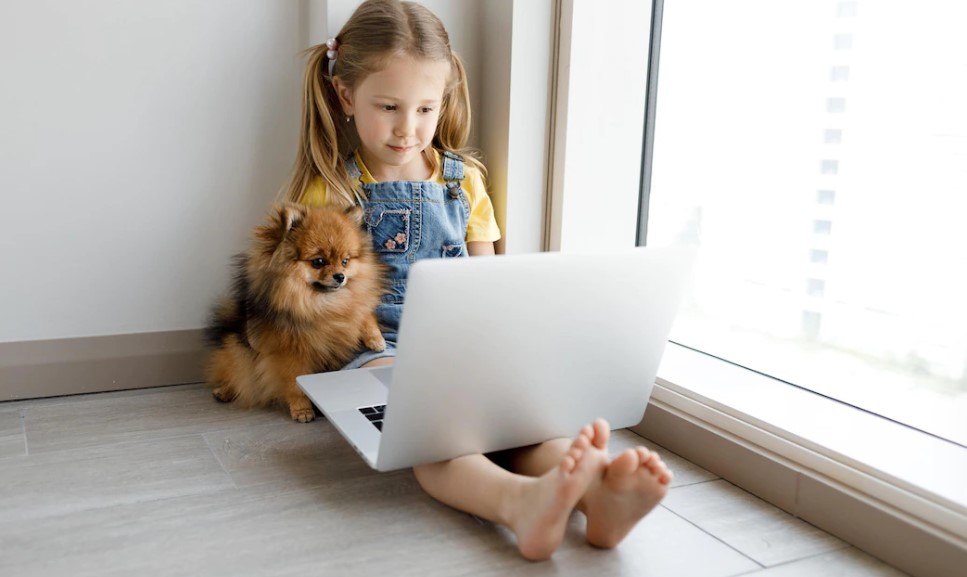
Instead of a tablet or phone, the ideal approach to introduce your kid to a computer is with a family laptop or, more preferably, a desktop.
Why? This restricts your child’s access and allows you to educate them on the fundamentals, like switching on or off the computer or opening and closing a computer software.
But first, make them realize that most devices they deal with regularly are computers. When children discover that even the candy machine at the nearby mall is a computer, they will be more excited to learn about it.
They’ll understand that computers are more than just a fun display and need them to do practically anything. Children need to learn how to operate traditional computers with keyboards, which they will most likely use at school.
This will help kids learn hardware and software fundamentals and improve their typing and mouse skills in ways touchscreens cannot. You could also educate them about the history of computers, so they can easily grasp what computers are and how they have evolved.
It would help if you also taught children basic computer hygiene at this point, such as washing their hands before they use the computer, not clicking the keys so hard, and keeping food and liquids away from the computer and keyboard.
Basic Computer Skills for Kids
It’s never too late to learn the basics. It’s important that kids learn the basics, so they can easily improve on those skills in the future. Here are some skills they should know how to do:
1. Typing
Good keyboard skills are essential to succeeding in school and beyond. Even if your kid doesn’t plan on being a computer scientist or an office worker, knowing how to type will come in handy for all sorts of projects, like writing emails and taking online quizzes.
If your child already knows his ABCs on paper, teaching him to type them can take as little as ten minutes a day. You can teach your kid typing skills with the help of programs like Marvis Beacon or Typing Club.
2. Электронное письмо
Your kid needs to know how to send and receive emails to communicate with teachers, family members, and friends. The easiest way to get started is by using Gmail at home or downloading the program Mail on a Mac or Windows machine.
Once you’re comfortable with them sending and receiving messages, you can encourage your child to create her account, so she’ll have a place where she can store messages from people she trusts.
To ensure her account is safe from strangers (or even sneaky classmates), teach her how to set up security questions.
3. Online Research
The World Wide Web is full of useful information and kid-friendly sites. Your child should learn how to locate these resources on her own and be able to evaluate them appropriately so she can spend more time having fun online.
Teach your child how to use a search engine so he can look up words and topics he doesn’t understand. When she finds something good, ask her what she thinks about it before letting her read it.
Show her how to follow links on different pages so she can see other articles that might interest her. You can also educate your child on how to use a bookmarking tool like Delicious or Diigo so she can save websites to revisit later.
Try to monitor the content they research online, or you could use the parental control setting to ensure they are not viewing harmful content.
4. Приключения
There are some coding platforms for kids, like CodeMonkey, where they can learn fundamental programming tools like Python а также Block-Based Coding.
Kids who take the time to learn will develop key problem-solving skills and can eventually take this as a career.
And because programming languages aren’t written down but instead told through combinations of text commands, kids don’t need to know how to read very well to use them.
Internet Safety for Kids
Kids need to understand the risks of using technology and how easy it is for people they don’t know to contact them online.
The first step in internet etiquette for kids is parental control. Keep an eye on what websites your child visits and ensure they’re safe. Some programs out there will let you do this with just one click. If your child does come across a website that looks like it might be inappropriate, make sure to talk about why that might be so without scaring them unnecessarily.
This is also a perfect time to educate them about spam, phishing, malware, and other strategies and tools used to steal personal information. As they spend more time on the internet, they will need to learn to prevent pitfalls.
Teaching internet safety gets more difficult with teenagers, who usually have their own devices and crave more privacy. You’ve hopefully set a firm foundation for safety with these kids, but keep an eye out for signals of trouble.
If your kid spends the entire night online, receives messages from strangers or unwanted gifts, refuses to talk to you about it, or switches off their computer when you enter the room, it’s time to examine their messages, search history, and limit their internet access.
Parents can adopt a variety of techniques to accomplish this. Some of them are discussing with their children their online activity.
Consider periodically co-creating with them. Keep track of your child’s favorite websites and apps. Discover how they work and what they expect from you. Let them know that their interests stimulate your attention.
Tips When Teaching Kids Computer Basics
When teaching kids computer basics, it is important to have a safe environment and help them navigate the different parts of a computer. This will allow them to explore independently once they have been taught the basics. Here are some tips for teaching kids computer basics.
Encourage Communication
One important thing when teaching kids about computers is encouraging communication. Let them ask questions and be patient as they learn how everything works. Getting used to typing or coding and other new skills can take time. Help them out when needed, but let them do some things alone.
Потерпи
Teaching kids computer basics may have some rather high-priced requirements for younger children. If your kid has difficulty comprehending and applying some concepts, yelling or expressing frustration will not help. It is best to be polite and patient when teaching children.
Use kid apps for easy learning
If you are trying to teach kids basic computer skills such as coding, typing, or browsing the internet, you can use some apps tailored for kids to make the learning experience more fun.
Заключение
In a nutshell, teaching your kids basic computer skills will give them a solid foundation if they decide to hone those skill sets in the future.
There are a lot of tools and resources like CodeMonkey, and Mavis Beacon that teach these skills in a more friendly interface that grabs their attention.
And there is no right age to start this journey – children as young as four can be taught simple steps like using the mouse and keyboard.
Just be patient with your kid and encourage them. You’ll see them improving in the long haul.
Будьте в курсе последних новостей И УЗНАЙТЕ БОЛЬШЕ О КОДИРОВКЕ ДЛЯ ДЕТЕЙ.
Мы используем файлы cookie на нашем веб-сайте, чтобы предоставить вам наиболее релевантный опыт, запоминая ваши предпочтения и повторные посещения. Нажимая «Принять», вы соглашаетесь на использование ВСЕХ файлов cookie. Однако вы можете посетить Настройки файлов cookie, чтобы предоставить контролируемое согласие.
Политика конфиденциальности и использования файлов cookie
Обзор конфиденциальности
Этот веб-сайт использует файлы cookie для улучшения вашего опыта при навигации по веб-сайту. Из этих файлов cookie файлы cookie, которые классифицируются как необходимые, хранятся в вашем браузере, поскольку они необходимы для работы основных функций веб-сайта. Мы также используем сторонние файлы cookie, которые помогают нам анализировать и понимать, как вы используете этот веб-сайт. Эти файлы cookie будут храниться в вашем браузере только с вашего согласия. У вас также есть возможность отказаться от этих файлов cookie. Но отказ от некоторых из этих файлов cookie может повлиять на ваш опыт просмотра.
Необходимые файлы cookie абсолютно необходимы для правильной работы веб-сайта. В эту категорию входят только файлы cookie, которые обеспечивают базовые функции и функции безопасности веб-сайта. Эти файлы cookie не хранят никакой личной информации.
Cookie-файлы
Тип
Продолжительность
Описание
_codemonkey_session_rails_4
1
1 год
_ga
настойчивый
2 года
Этот файл cookie устанавливается Google Analytics. Файл cookie используется для расчета данных о посетителях, сеансах и кампании, а также для отслеживания использования сайта в аналитическом отчете. Файлы cookie хранят информацию анонимно и присваивают случайно сгенерированный номер для идентификации уникальных посетителей.
Cookielawinfo-checkbox-реклама
настойчивый
11 месяцев
Файл cookie устанавливается в соответствии с GDPR, чтобы записать согласие пользователя на использование файлов cookie в категории «Реклама».
Cookielawinfo-checkbox-analytics
настойчивый
11 месяцев
Эти файлы cookie устанавливаются плагином GDPR Cookie Consent WordPress. Файл cookie используется для запоминания согласия пользователя на использование файлов cookie в категории «Аналитика».
Cookielawinfo-checkbox-функциональный
настойчивый
11 месяцев
Cookielawinfo-checkbox-необходимо
настойчивый
11 месяцев
Этот файл cookie устанавливается подключаемым модулем GDPR Cookie Consent. Файлы cookie используются для хранения согласия пользователя на файлы cookie в категории «Необходимые».
Cookielawinfo-checkbox-не обязательно
0
11 месяцев
Этот файл cookie устанавливается подключаемым модулем GDPR Cookie Consent. Файлы cookie используются для хранения согласия пользователя на файлы cookie в категории «Необязательно».
Cookielawinfo-checkbox-другое
настойчивый
11 месяцев
Cookielawinfo-checkbox-performance
настойчивый
11 месяцев
Этот файл cookie используется для отслеживания того, какие файлы cookie пользователь одобрил для этого сайта.
JSESSIONID
1
1 год
Используется сайтами, написанными на JSP. Файлы cookie сеанса платформы общего назначения, которые используются для поддержания состояния пользователей при запросах страниц.
View_cookie_policy
настойчивый
1 час
Файл cookie устанавливается подключаемым модулем GDPR Cookie Consent и используется для хранения информации о том, согласился ли пользователь на использование файлов cookie. Он не хранит никаких личных данных.
XSRF-ТОКЕН
настойчивый
1 год
Файл cookie устанавливается платформой для создания веб-сайтов Wix на веб-сайте Wix. Файл cookie используется в целях безопасности.
Любые файлы cookie, которые могут не быть особенно необходимыми для работы веб-сайта и используются специально для сбора личных данных пользователей с помощью аналитики, рекламы и другого встроенного содержимого, называются ненужными файлами cookie. Перед запуском этих файлов cookie на вашем веб-сайте необходимо получить согласие пользователя.
Cookie-файлы
Тип
Продолжительность
Описание
rlas3
настойчивый
11 месяцев
Файл cookie устанавливается rlcdn.com. Файл cookie используется для показа посетителю релевантной рекламы, а также для ограничения времени, в течение которого посетитель видит ее, а также для измерения эффективности кампании.
UserMatchHistory
настойчивый
1 месяц
Linkedin - используется для отслеживания посетителей на нескольких веб-сайтах с целью представления релевантной рекламы на основе предпочтений посетителя.
Этот файл cookie устанавливается Google Analytics и используется для различения пользователей и сеансов. Файл cookie создается при выполнении библиотеки JavaScript и отсутствии существующих файлов cookie __utma. Файл cookie обновляется каждый раз, когда данные отправляются в Google Analytics.
__utmb
настойчивый
30 минут
Файл cookie устанавливается Google Analytics. Файл cookie используется для определения новых сеансов / посещений. Файл cookie создается при выполнении библиотеки JavaScript и отсутствии существующих файлов cookie __utma. Файл cookie обновляется каждый раз, когда данные отправляются в Google Analytics.
__utmc
настойчивый
1 год
Файл cookie устанавливается Google Analytics и удаляется, когда пользователь закрывает браузер. Файл cookie не используется ga.js. Файл cookie используется для обеспечения взаимодействия с urchin.js, который представляет собой более старую версию Google Analytics, и используется вместе с файлом cookie __utmb для определения новых сеансов / посещений.
__utmt
настойчивый
10 минут
Файл cookie устанавливается Google Analytics и используется для регулирования частоты запросов.
__utmz
настойчивый
6 месяцев
Этот файл cookie устанавливается Google Analytics и используется для хранения источника трафика или кампании, с помощью которой посетитель перешел на ваш сайт.
_gat
настойчивый
1 минута
Эти файлы cookie устанавливаются Google Universal Analytics, чтобы ограничить частоту запросов и ограничить сбор данных на сайтах с высокой посещаемостью.
YSC
1
1 год
Эти файлы cookie устанавливаются Youtube и используются для отслеживания просмотров встроенных видео.
Этот файл cookie используется Google Analytics для понимания взаимодействия пользователя с веб-сайтом.
_gid
настойчивый
1 день
Этот файл cookie устанавливается Google Analytics. Файл cookie используется для хранения информации о том, как посетители используют веб-сайт, и помогает в создании аналитического отчета о том, как работает веб-сайт. Собранные данные, включая количество посетителей, источник, откуда они пришли, и просмотренные страницы в анонимной форме.
GPS
настойчивый
30 минут
Этот файл cookie устанавливается Youtube и регистрирует уникальный идентификатор для отслеживания пользователей в зависимости от их географического положения.
MR
настойчивый
5 месяцев
Этот файл cookie используется для измерения использования веб-сайта в аналитических целях.
MUIDB
1
1 год
Этот файл cookie используется MicroSoft и собирает данные о пользователях, посещающих несколько веб-сайтов. Эти данные используются для анализа эффективности рекламы на веб-сайтах.
Этот файл cookie устанавливается Facebook для показа рекламы, когда они находятся на Facebook или на цифровой платформе, основанной на рекламе Facebook после посещения этого веб-сайта.
bscookie
1
2 года
Этот файл cookie представляет собой файл cookie идентификатора браузера, установленный кнопками Linked share и рекламными тегами.
fr
1
3 месяца
Файл cookie устанавливается Facebook, чтобы показывать пользователям релевантную рекламу, а также оценивать и улучшать рекламу. Файл cookie также отслеживает поведение пользователя в Интернете на сайтах, на которых есть пиксель Facebook или социальный плагин Facebook.
IDE
1
2 года
Используется Google DoubleClick и хранит информацию о том, как пользователь использует веб-сайт, и любую другую рекламу перед посещением веб-сайта. Это используется для показа пользователям релевантной для них рекламы в соответствии с профилем пользователя.
MUID
настойчивый
1 год
Используется Microsoft как уникальный идентификатор. Файл cookie устанавливается встроенными скриптами Microsoft. Целью этого файла cookie является синхронизация идентификатора во многих различных доменах Microsoft для обеспечения возможности отслеживания пользователей.
pxrc
настойчивый
2 месяца
Целью файлов cookie является идентификация посетителя для показа соответствующей рекламы.
rlas3
настойчивый
11 месяцев
Файл cookie устанавливается rlcdn.com. Файл cookie используется для показа посетителю релевантной рекламы, а также для ограничения времени, в течение которого посетитель видит ее, а также для измерения эффективности кампании.
skimCSP
настойчивый
11 месяцев
Этот файл cookie устанавливается SkimResources. Файл cookie используется для записи данных о посетителе, чтобы оптимизировать релевантность рекомендаций, предоставляемых пользователям.
TapAd_DID
настойчивый
2 месяца
Файл cookie устанавливается сайтом tapad.com. Цель файлов cookie - отслеживать пользователей на разных устройствах для включения таргетированной рекламы.
TapAd_TS
настойчивый
2 месяца
Файл cookie устанавливается Tapad.com. Целью файлов cookie является отслеживание пользователей на разных устройствах для включения таргетированной рекламы.
TDCPM
настойчивый
1 год
Файл cookie устанавливается службой CloudFare для хранения уникального идентификатора устройства возвращающегося пользователя, который затем используется для целевой рекламы.
TDID
настойчивый
1 год
Файл cookie устанавливается службой CloudFare для хранения уникального идентификатора устройства возвращающегося пользователя, который затем используется для целевой рекламы.
test_cookie
настойчивый
15 минут
Этот файл cookie устанавливается doubleclick.net. Цель файлов cookie - определить, поддерживает ли браузер пользователя файлы cookie.
VISITOR_INFO1_LIVE
1
5 месяцев
Этот файл cookie установлен Youtube. Используется для отслеживания информации о встроенных видео YouTube на веб-сайте.
Этот файл cookie устанавливается LinkedIn. Целью файлов cookie является включение функций LinkedIn на странице.
язык
настойчивый
1 год
Этот файл cookie используется для хранения языковых предпочтений пользователя для предоставления контента на этом сохраненном языке при следующем посещении пользователем веб-сайта.
lidc
настойчивый
1 день
Этот файл cookie устанавливается LinkedIn и используется для маршрутизации.