New Features

Product Updates🍌New courses & Challenges🍌Dashboard Features🍌Content🍌& More!

Product Updates CodeMonkey

"Showroom Makeover"

March 2025

  • A new switch lets users toggle between creations shared with the classroom and those shared on Discover.
  • No more A-Z sorting or “show more” – now, all games and challenges are displayed on a single screen.
  • A cute new icon on game images indicates whether the course/game was created in block-based or text-based coding (light green).
  • The Discover button now says “switched” on instead of “turned” on – a small but meaningful tweak!
showroom new look march 2025

Check out the NEW ⭐ Star Score Requirement feature!
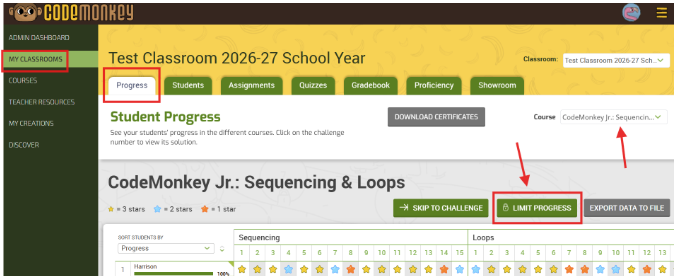
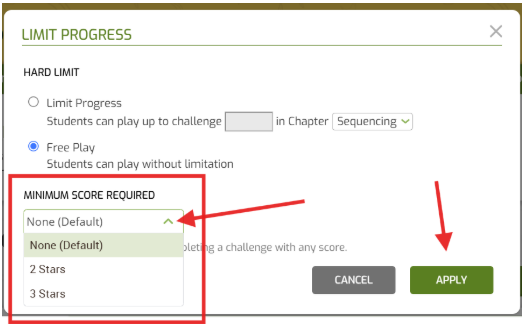
You, as the teacher or admin, can set a minimal star score requirement for each CodeMonkey course within each CodeMonkey Classroom!

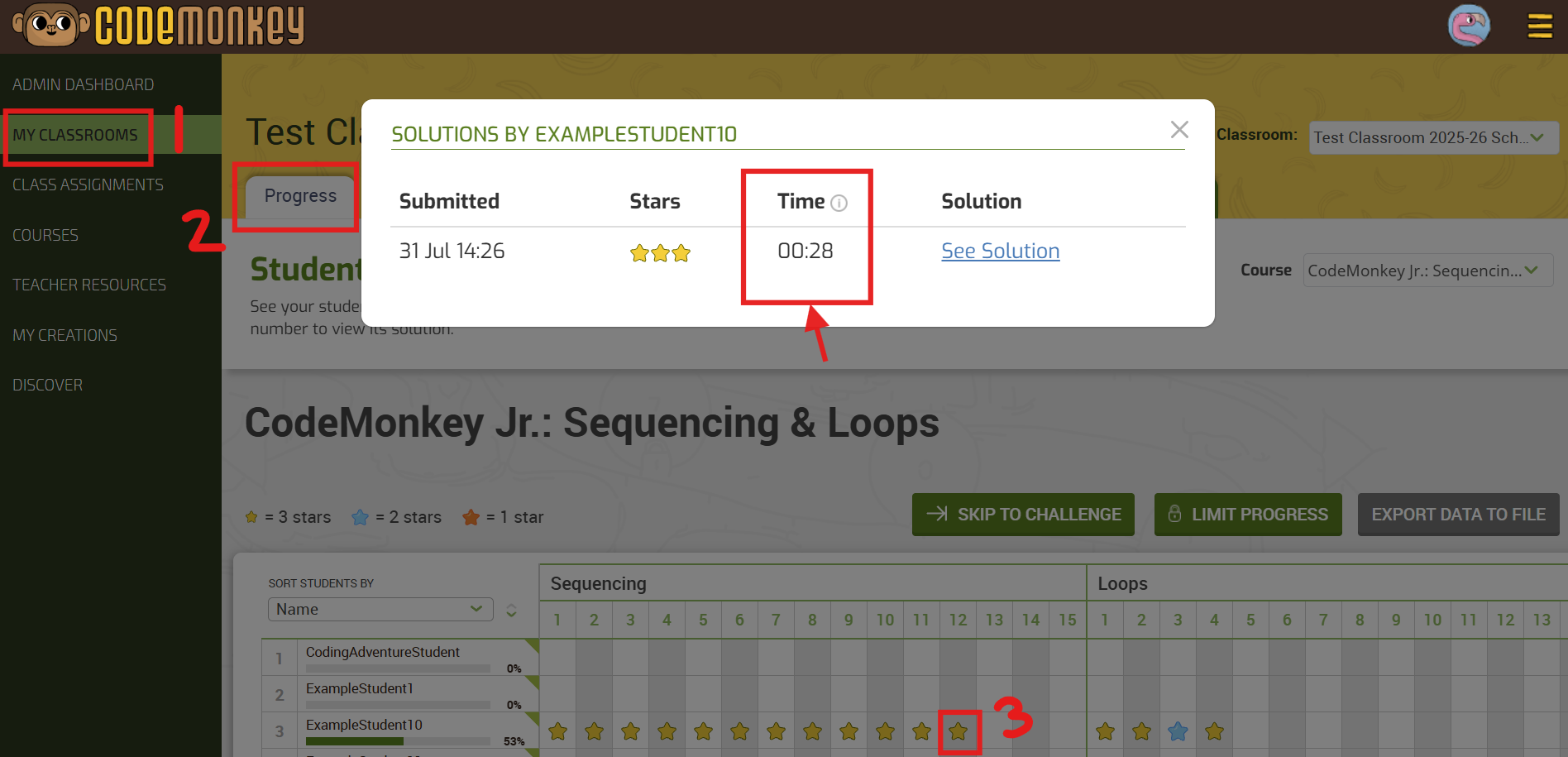
1️⃣ Go to your My Classrooms tab

2️⃣ Click on the desired CodeMonkey Classroom

3️⃣ In the Progress tab, select the “🔒LIMIT PROGRESS” button to set the required number of stars you want students to achieve. By default, it is set to “None”, which allows students to move on with 1 star to the next challenge.

All CodeMonkey Announcements ⬇