Every computer, phone and game console is built from logic gates. A modern chip holds billions of them. But on paper, gates are just symbols and truth tables, and students rarely see how they connect to the devices in their hands.
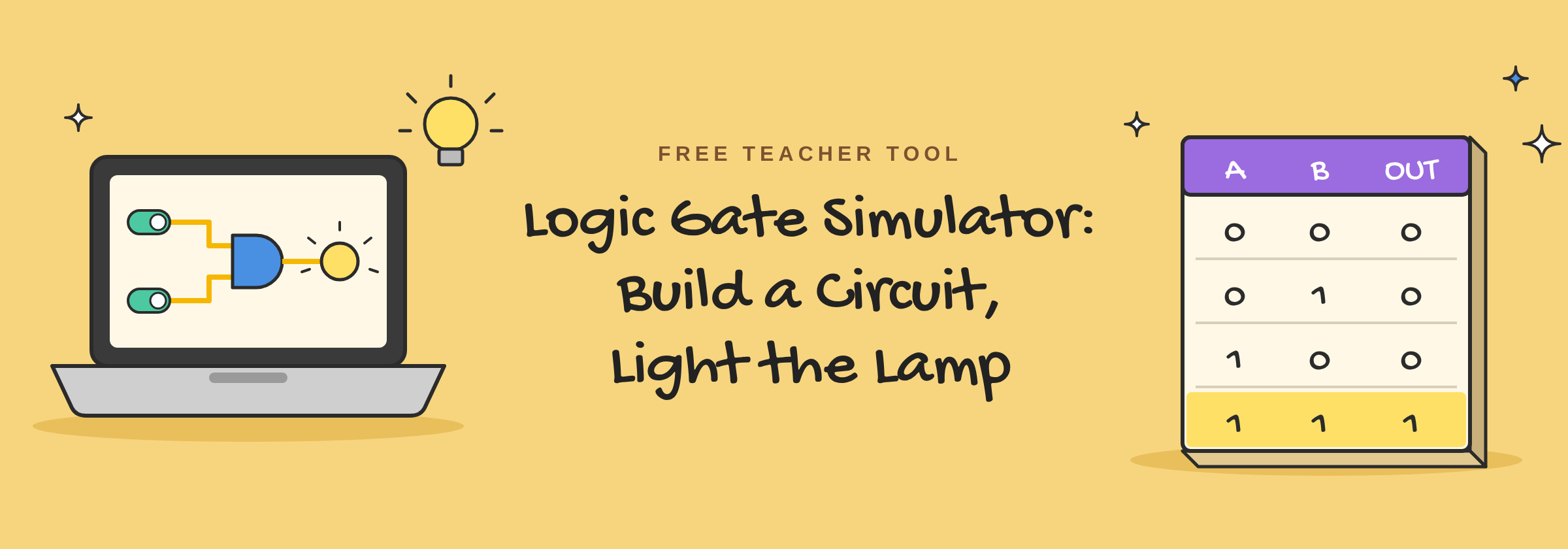
В Logic Gate Simulator lets students build real circuits and test them with a click. It’s the second tool in our collection of free interactive CS tools. It’s free for you and your students, with no sign-up, no download and no paywall.
What the Logic Gate Simulator does
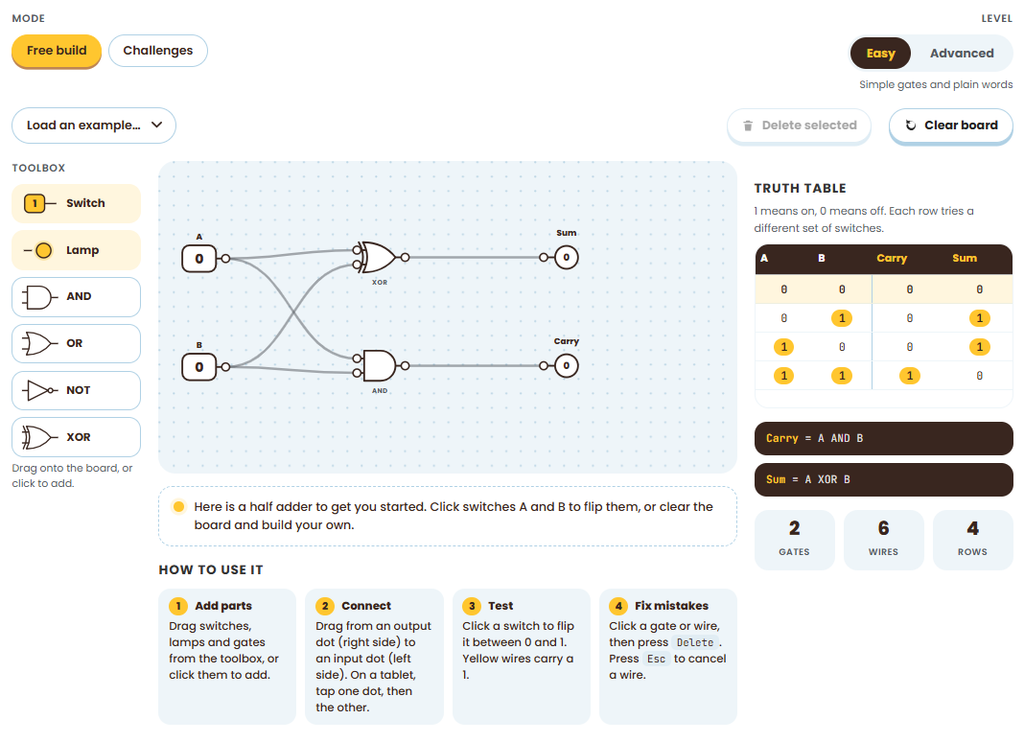
Students drag switches, lamps and gates onto a board and wire them together. Then they flip the switches and watch what happens. Wires carrying a 1 light up yellow, so students can follow the signal through the circuit.
- Build in four steps. Add parts, connect them, test them, and fix mistakes. Students drag from an output dot to an input dot to make a wire. On a tablet, they tap one dot, then the other.
- Live truth table. As students build, a truth table fills in with every combination of switches. The Boolean expression updates too, for example Sum = A XOR B.
- Ready-made examples. Load a half adder, a full adder or a 2-to-1 multiplexer to explore how computers add numbers and choose between signals.
- Free build or Challenges. Students can build anything they like, or work through set challenges.
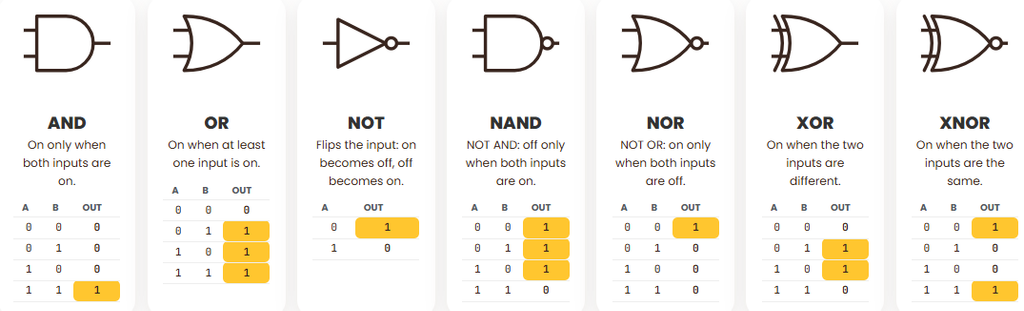
- Meet the gates. A built-in reference explains AND, OR, NOT, NAND, NOR, XOR and XNOR, each with its own truth table.
3 ways to use it in class
1. Make it real
Give students a game puzzle: a door opens (lamp X) only when the player has the key (A) and is standing next to the door (B). Which gate do they need? Let them build it and test every combination of switches.
2. Two roads, one answer
Have students build XOR with a single XOR gate. Then have them build it again using only AND, OR and NOT. Compare the two truth tables. Are they really the same circuit?
3. Take apart a half adder
The simulator opens with a half adder already on the board. Ask students to flip the switches and fill in the truth table by hand before checking it on screen. Then ask: how does this tiny circuit help a computer add numbers?
One tool for every level
The Logic Gate Simulator has two levels, so you can start simple and add depth when your class is ready.
- Easy mode uses simple gates and plain words: AND, OR, NOT and XOR. It’s a good fit for students meeting logic gates for the first time.
- Advanced mode adds all seven gates, including NAND, NOR and XNOR, and Boolean notation. It’s a good fit for AP CS Principles or an intro to computer architecture.
Want students to open a specific level? Add ?level=easy или же ?level=advanced to the end of the link before you share it.
The tool runs in any modern browser on Chromebooks, Windows and Mac computers, and iPads and other tablets. A laptop or tablet screen works best, since students drag parts and wires around the board.
Share it anywhere
You have our permission to share the Logic Gate Simulator wherever it helps. Post the link on your class page, your school’s resources page or your district’s teacher hub.
More free tools are on the way
The Logic Gate Simulator is one of four free tools available now. The others are the Sorting Visualizer, the Data Structure Playground а также Search Race. We’re building more.
Try the Logic Gate Simulator now, free with no sign-up.