The new Placement Quiz checks where your students are with coding concepts and skills and gives you, as a teacher, a suggestion on which course to assign to the class.
This feature is available for classrooms that have no courses assigned.
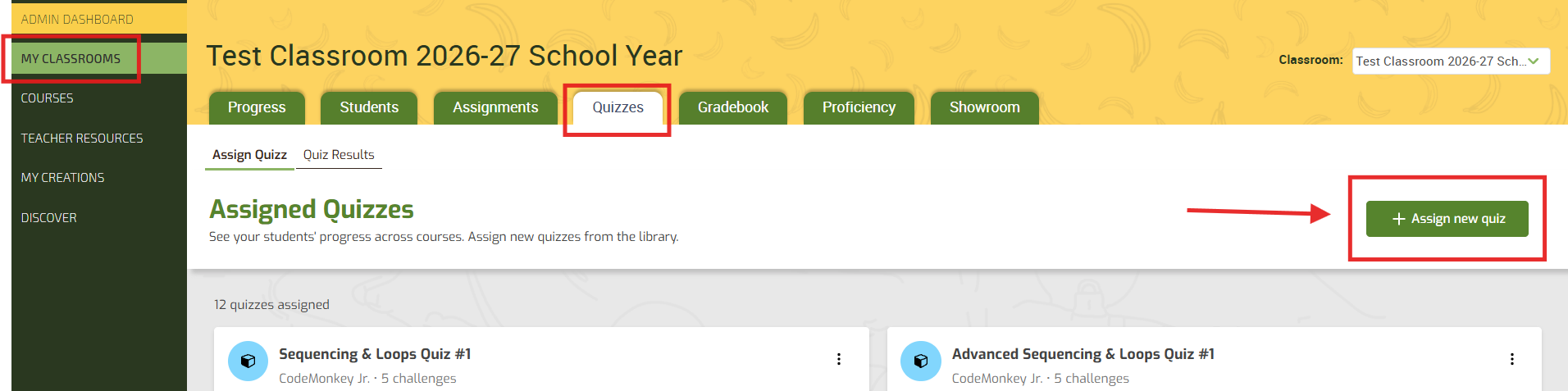
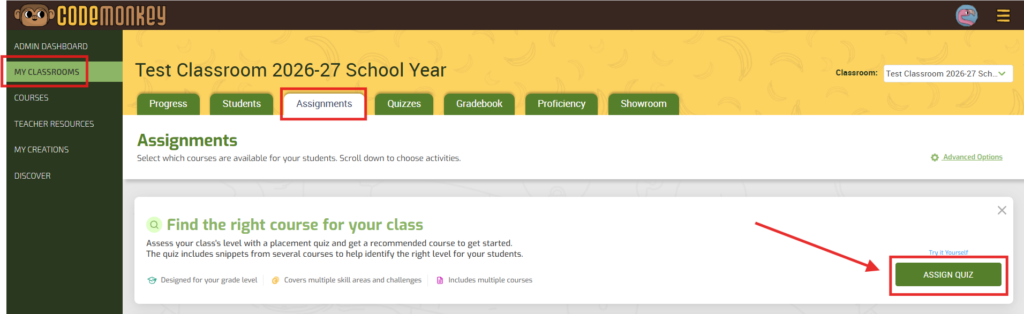
1️⃣ Go to My Classrooms.
2️⃣ Click on the desired CodeMonkey Classroom.
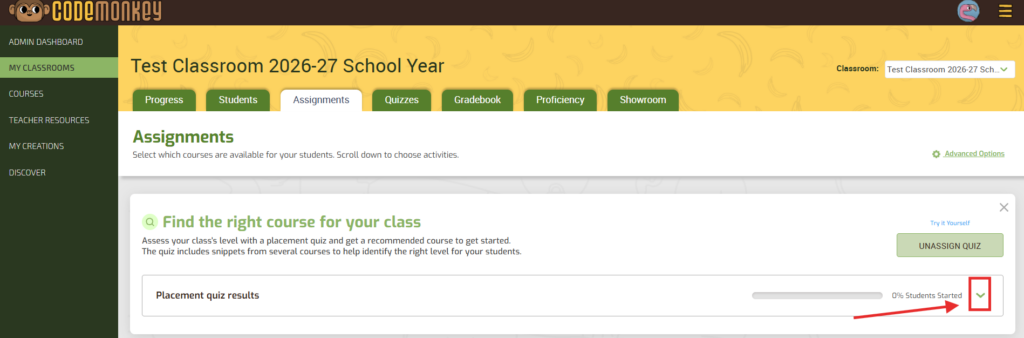
3️⃣ In the Assignments tab, click the green “ASSIGN QUIZ” button.
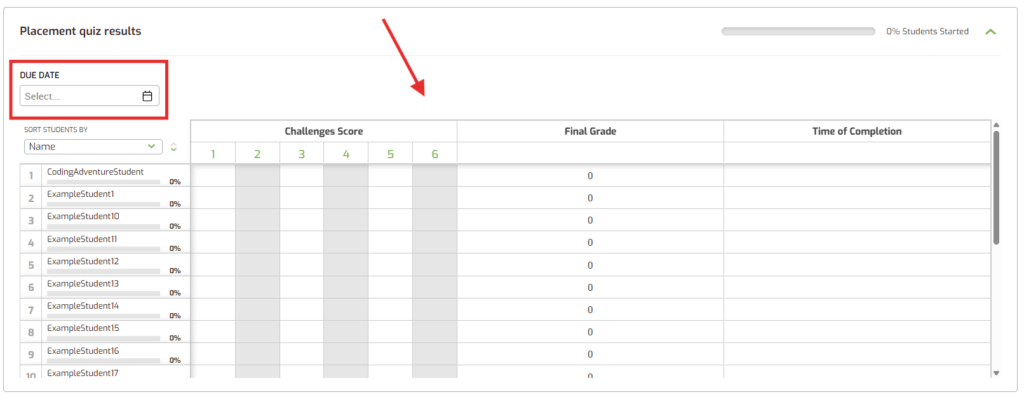
4️⃣ You can then use the drop-down arrow to select a “DUE DATE” if desired and see student results, their final grade, and the amount of time it took them to complete the challenges.
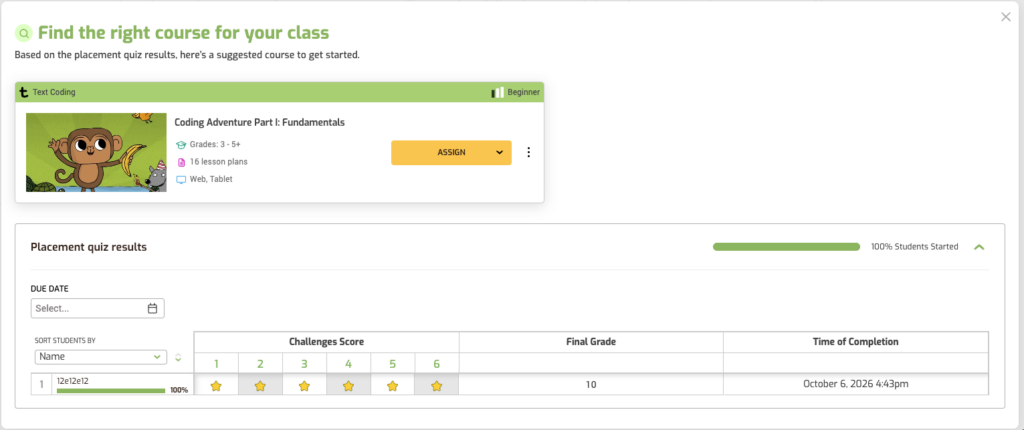
When complete, CodeMonkey will recommend a single course to assign based on the results:
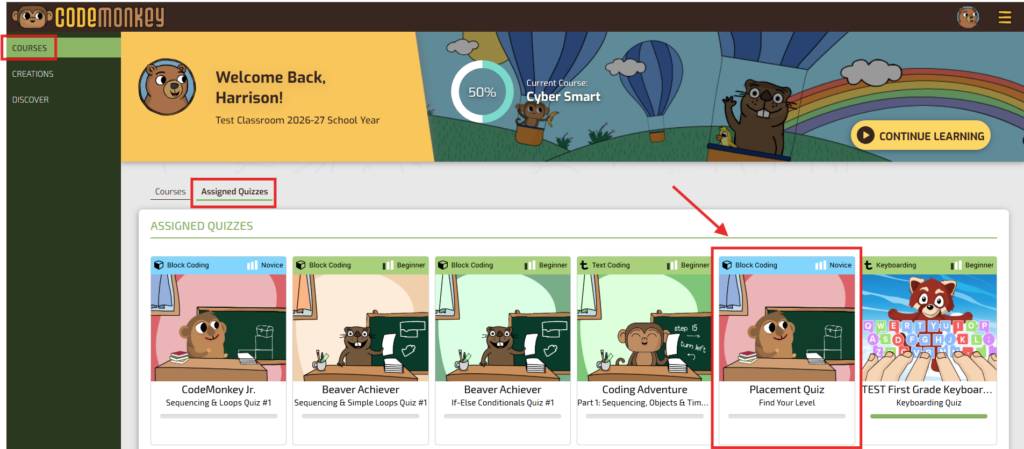
Students will see this quiz available to them on their “Courses” page under “Assigned Quizzes”: